유용한 정보
[C#] ComboBox의 DataSource에 DataTable을 연결하여 사용하기
DevReff
2025. 6. 15. 17:45
728x90
728x90
SMALL
1. 사용 예제
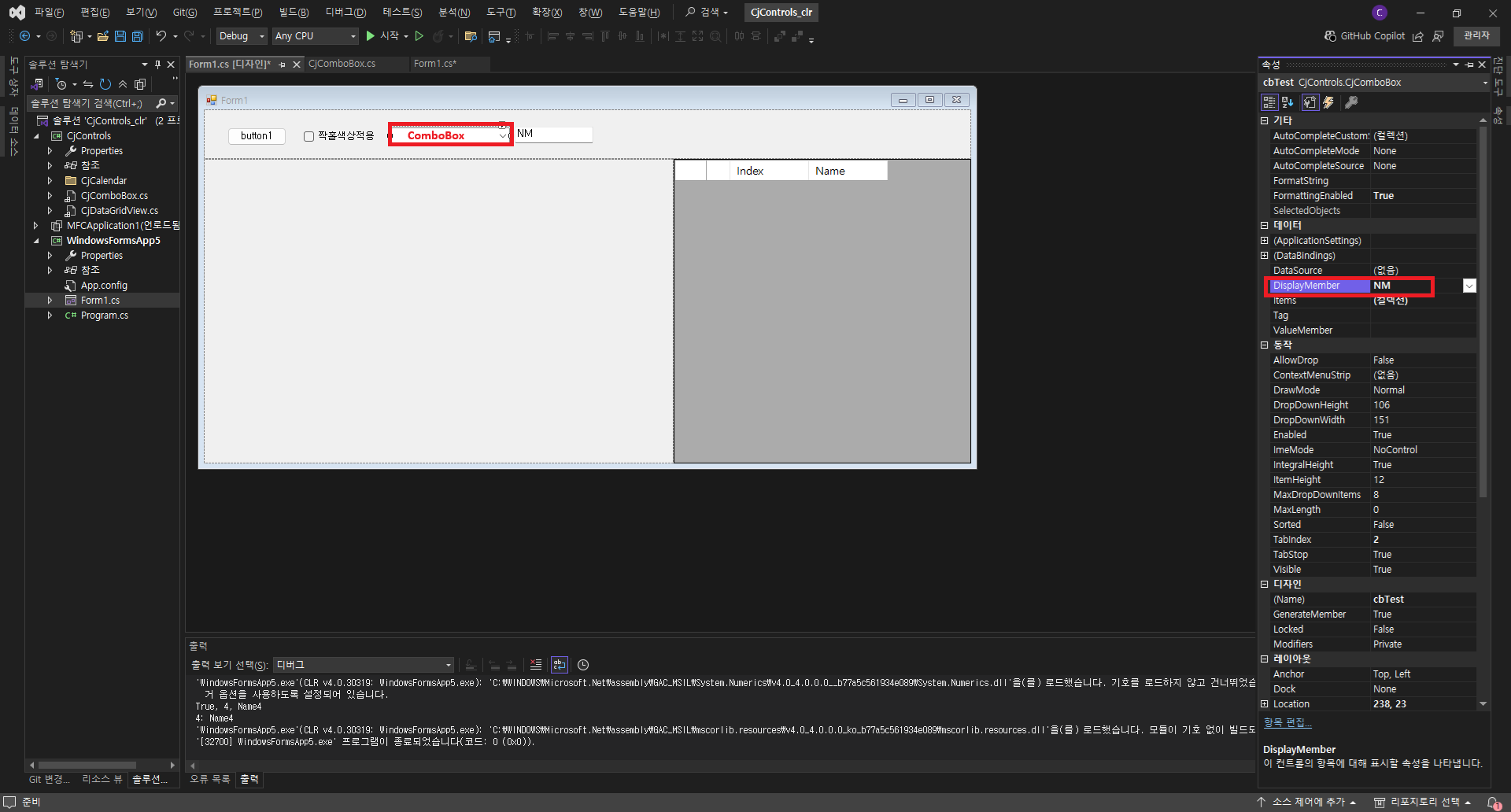
private void SetCbTest()
{
Cursor.Current = Cursors.WaitCursor;
var rd = new Random();
var dt = new DataTable();
var col = dt.Columns.Add("CHK");
col = dt.Columns.Add("IDX");
col = dt.Columns.Add("NM");
for (int i = 0; i < 1000; ++i)
{
var row = dt.Rows.Add();
row["CHK"] = rd.Next(1, 1000) % 2 == 0;
row["IDX"] = i.ToString();
row["NM"] = $"Name{i}";
}
cbTest.DataSource = dt;
cbTest.DisplayMember = TxbDisplayMember.Text;
Cursor.Current = Cursors.Default;
}
반응형
2. 컨트롤 소스
/// <summary>
/// 생성자
/// </summary>
public CjComboBox()
{
InitializeComponent();
}
/// <summary>
/// 현재 선택된 아이템 (형식:object[])
/// </summary>
public object[] SelectedObjects
{
get
{
if (this.SelectedIndex < 0)
return null;
return this[this.SelectedIndex];
}
}
/// <summary>
/// Indexer 재정의하기
/// </summary>
/// <param name="i">인덱스 (zero-based)</param>
/// <returns>배열</returns>
public object[] this[int i]
{
get
{
try
{
if (i < 0 || i >= this.Items.Count)
return null;
if (this.Items[i] == null || !(this.Items[i] is DataRowView))
{
return null;
}
return (this.Items[i] as DataRowView).Row.ItemArray;
}
catch (Exception ex)
{
Debug.WriteLine($"{this.Name} Error : {ex}");
}
return null;
}
set
{
try
{
if (this.DataSource != null && this.DataSource is DataTable)
{
DataTable dt = this.DataSource as DataTable;
if (0 <= i && i < dt.Rows.Count)
{
dt.Rows[i].ItemArray = value;
}
}
}
catch (Exception ex)
{
Debug.WriteLine($"{this.Name} Error : {ex}");
}
}
}
/// <summary>
/// Indexer 재정의하기
/// </summary>
/// <param name="i">인덱스 (zero-based)</param>
/// <param name="fieldName">필드명</param>
/// <returns>필드값</returns>
public object this[int i, string fieldName]
{
get
{
try
{
if (i < 0 || i >= this.Items.Count)
return null;
if (this.Items[i] == null || !(this.Items[i] is DataRowView))
{
Debug.WriteLine($"{this.Name}의 DataSource가 DataTable 형식이 아닙니다.");
return null;
}
DataRow dr = (this.Items[i] as DataRowView).Row;
if (dr.Table.Columns.Contains(fieldName))
return dr[fieldName];
else
{
Debug.WriteLine($"{this.Name}에는 {fieldName} 속성이 없습니다.");
return null;
}
}
catch (Exception ex)
{
Debug.WriteLine($"{this.Name} Error : {ex}");
}
return null;
}
}
}
728x90
728x90
LIST